SSL certificate management
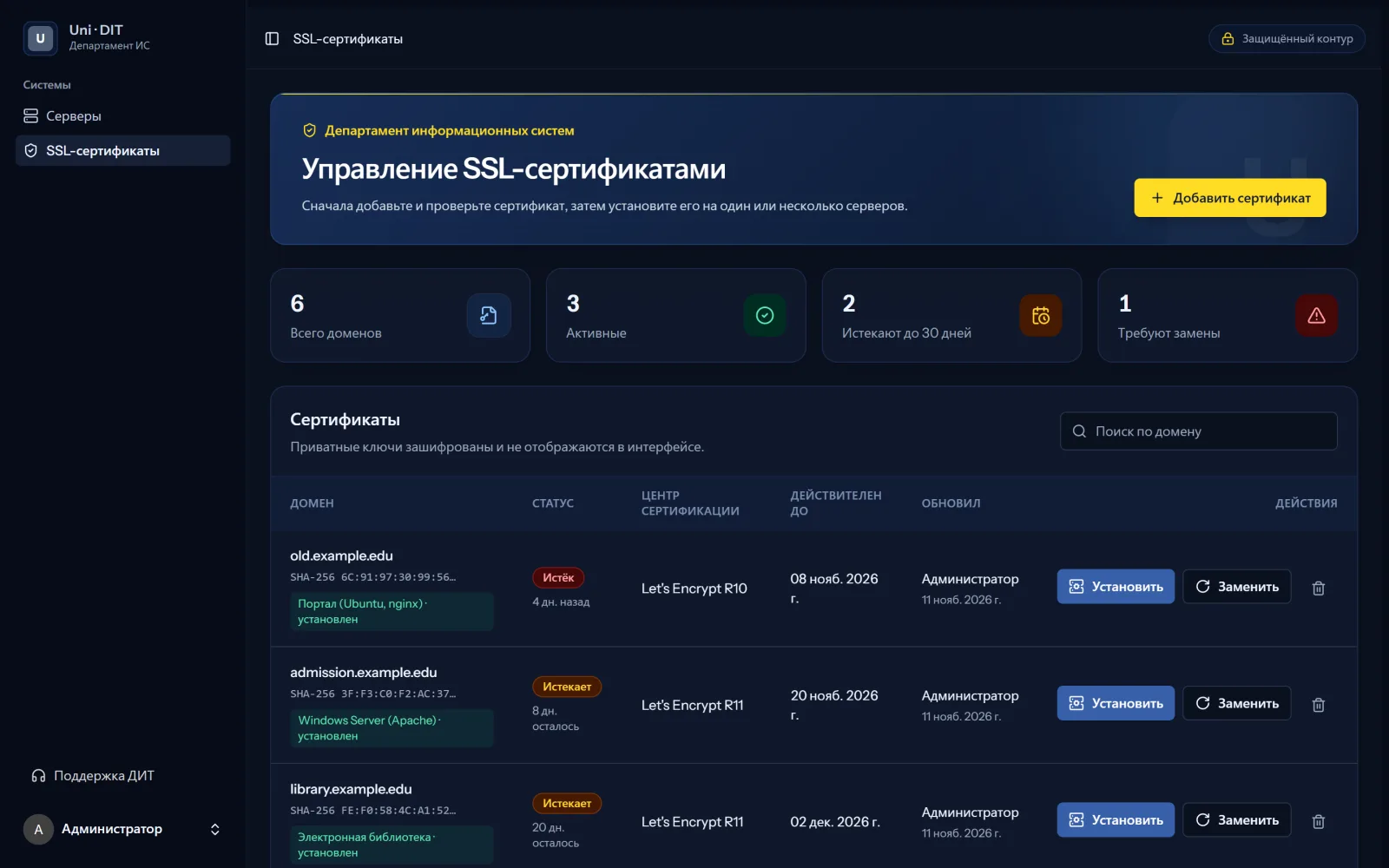
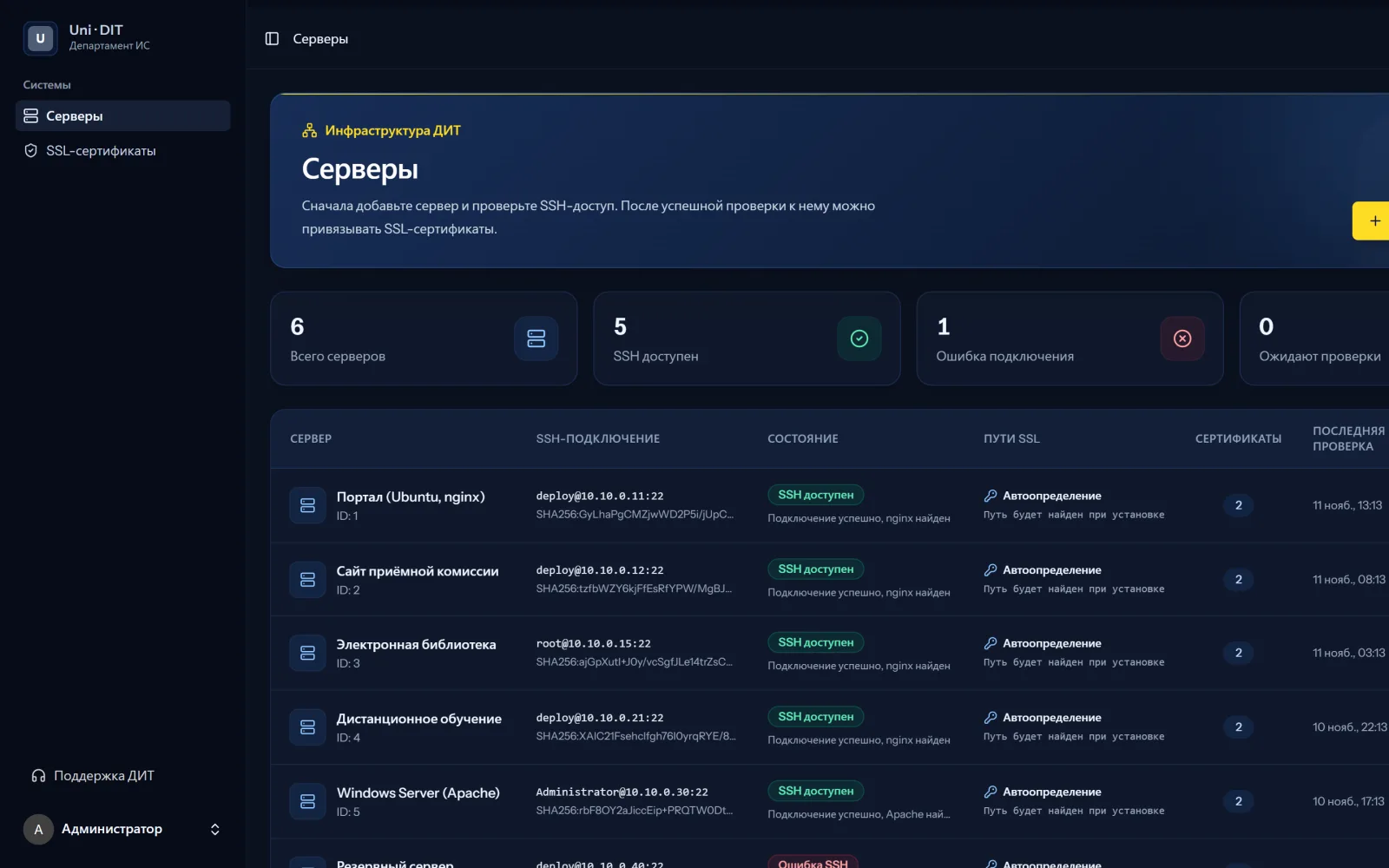
An internal panel for the IT department: a registry of servers and certificates, expiry tracking and installing a certificate on several servers over SSH with automatic rollback.
The IT department runs many sites on different servers: Linux with nginx and Windows with Apache. Certificates were renewed by hand on each server, and upcoming expiry was noticed too late.
The panel keeps a registry of servers and certificates: domain, issuer, expiry date and the servers it is installed on. Private keys and SSH passwords are stored encrypted and never shown in the interface, and the server host key fingerprint is checked on connection.
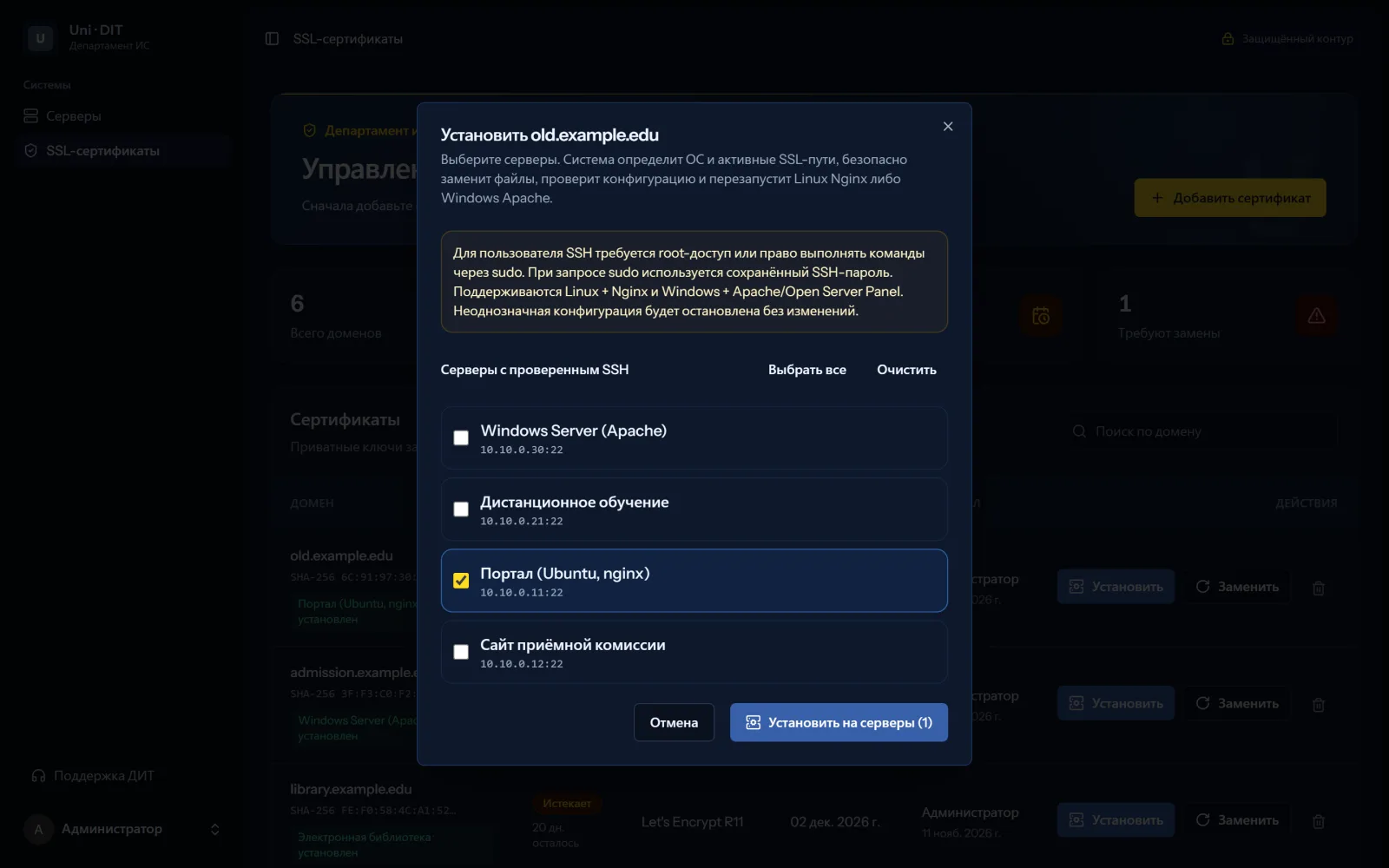
Before installing, the system checks the certificate: domain, validity and that the key matches. It then connects to the selected servers over SSH, finds the active SSL paths in the configuration, replaces the files, tests the configuration and reloads the web server. If the test fails, the previous files are restored.
- Year
- 2026
Technologies
- Laravel
- React
- TypeScript
- Inertia.js
- phpseclib (SSH)
- Docker
- PostgreSQL
Results
- Expiry dates of all certificates are on one page, with expiring ones highlighted.
- One certificate is installed on several servers in a single action.
- If the configuration test fails, changes are rolled back automatically.
Let’s discuss your project
Describe the task — we will suggest an approach, stages and the next step.